Esamos detalės fiksavimas
Sukuriama fizinės detalės skaitmeninė geometrija, kai nėra brėžinių ar originalaus CAD modelio.
3D SKENAVIMAS
Fizinių objektų skaitmeninimas dokumentavimui, atkūrimui, projektavimui ir gamybai.
PRINTURA
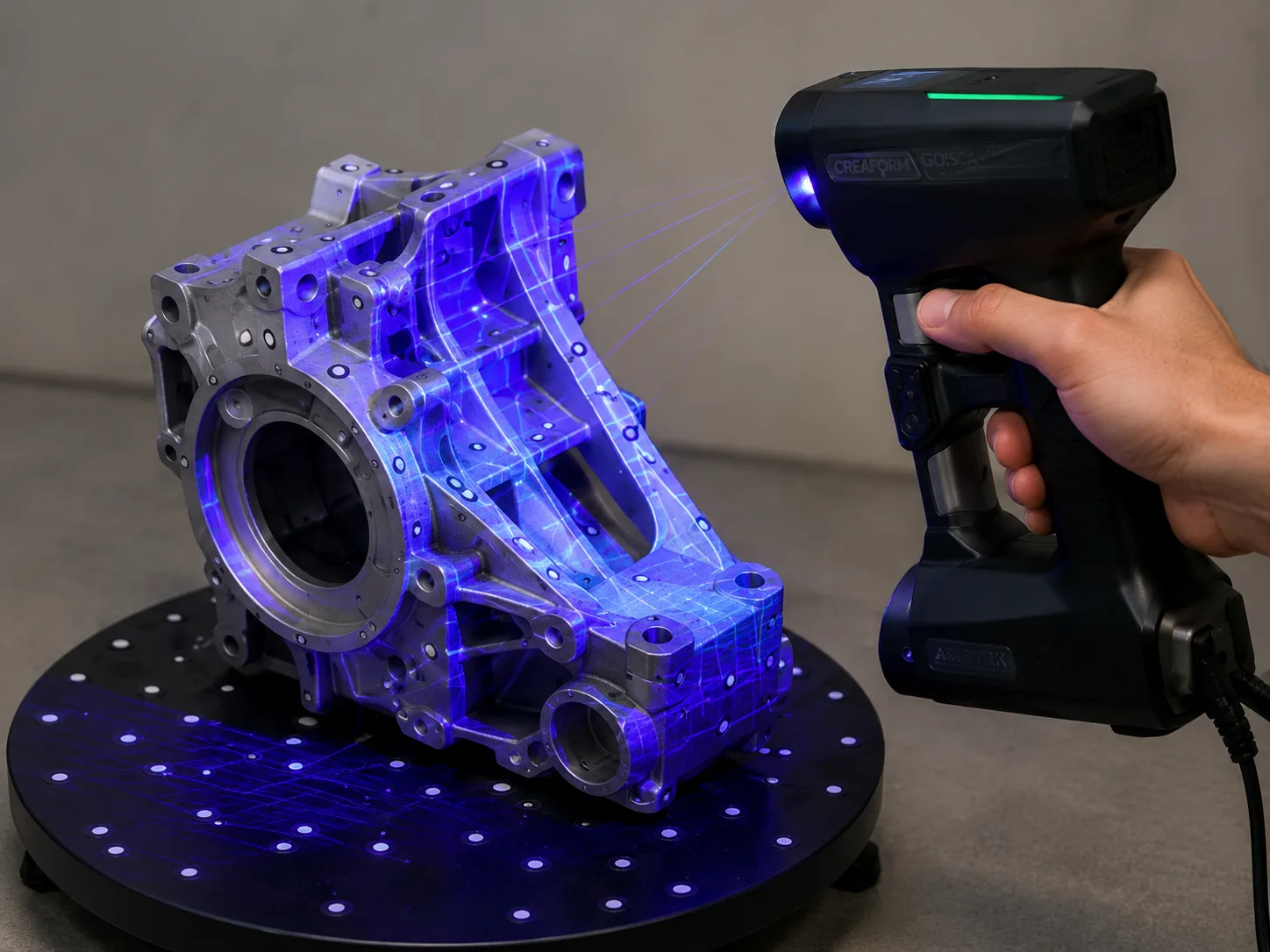
3D skenavimas naudingas tada, kai fizinis objektas yra, tačiau originalių CAD duomenų nėra. Nuskenuota geometrija gali būti naudojama dokumentavimui, palyginimui, atkūrimui ar kaip atskaitos taškas tolesniam projektavimui.
Skenavimas dažnai yra tik pirmasis platesnio proceso etapas. Jei reikalingas švarus ir redaguojamas gamybinis CAD modelis, skenavimo duomenys gali būti derinami su 3D modeliavimu ar atvirkštine inžinerija.
DAŽNI PRITAIKYMAI
Sukuriama fizinės detalės skaitmeninė geometrija, kai nėra brėžinių ar originalaus CAD modelio.
Gauta medžiaga naudojama kaip atskaita kuriant priglundančias detales, laikiklius, gaubtus ar kitus komponentus.
Objekto geometrija išsaugoma ateities palyginimui, projektų dokumentacijai ar tolesniam darbui.
Skenavimo duomenys suteikia geometrinį pagrindą švariam ir redaguojamam CAD modeliui atkurti.
DARBO EIGA
Aptariame, kam bus naudojamas skaitmeninis objektas ir kurios detalės vietos, paviršiai ar sąsajos yra svarbiausios.
Objektas fiksuojamas iš reikalingų pusių, kad jo forma būtų atkurta skaitmeninėje erdvėje.
Gauti duomenys sutvarkomi ir paruošiami kitam etapui — atskaitai, palyginimui, modeliavimui ar atvirkštinei inžinerijai.
KĄ PATEIKTI
Nurodykite, ką norite daryti su galutine geometrija ir kurios vietos ar matmenys yra kritiniai. Tai padeda parinkti tinkamą skenavimo eigą ir reikalingą rezultatą tolesniam projektui.
DAŽNI KLAUSIMAI
Trumpi atsakymai į dažniausiai kylančius klausimus apie šią paslaugą.
Ne. Skenas užfiksuoja fizinę geometriją, o švariam redaguojamam CAD modeliui dažniausiai reikia papildomo modeliavimo arba atvirkštinės inžinerijos. Galutinis rezultatas turėtų būti parenkamas pagal tai, kam duomenys bus naudojami.
Skenas gali suteikti geometrinę atskaitą. Jei reikia gaminamos pakaitinės ar pakeistos detalės, skenavimo duomenis galima toliau naudoti atvirkštinei inžinerijai ir, kai tinkama, gamybai.
Svarbiausias pradinis taškas yra fizinis objektas. Taip pat naudinga paaiškinti, kam bus naudojami skaitmeniniai duomenys ir kurie paviršiai, sujungimai ar matmenys yra svarbiausi.
Taip. Užfiksuota geometrija gali būti naudojama kaip atskaita kuriant komponentus, kurie turi sekti esamą formą, prie jos priglusti ar su ja susijungti.